

If there is one word that captures what we are living through right now at BF, it is this:...
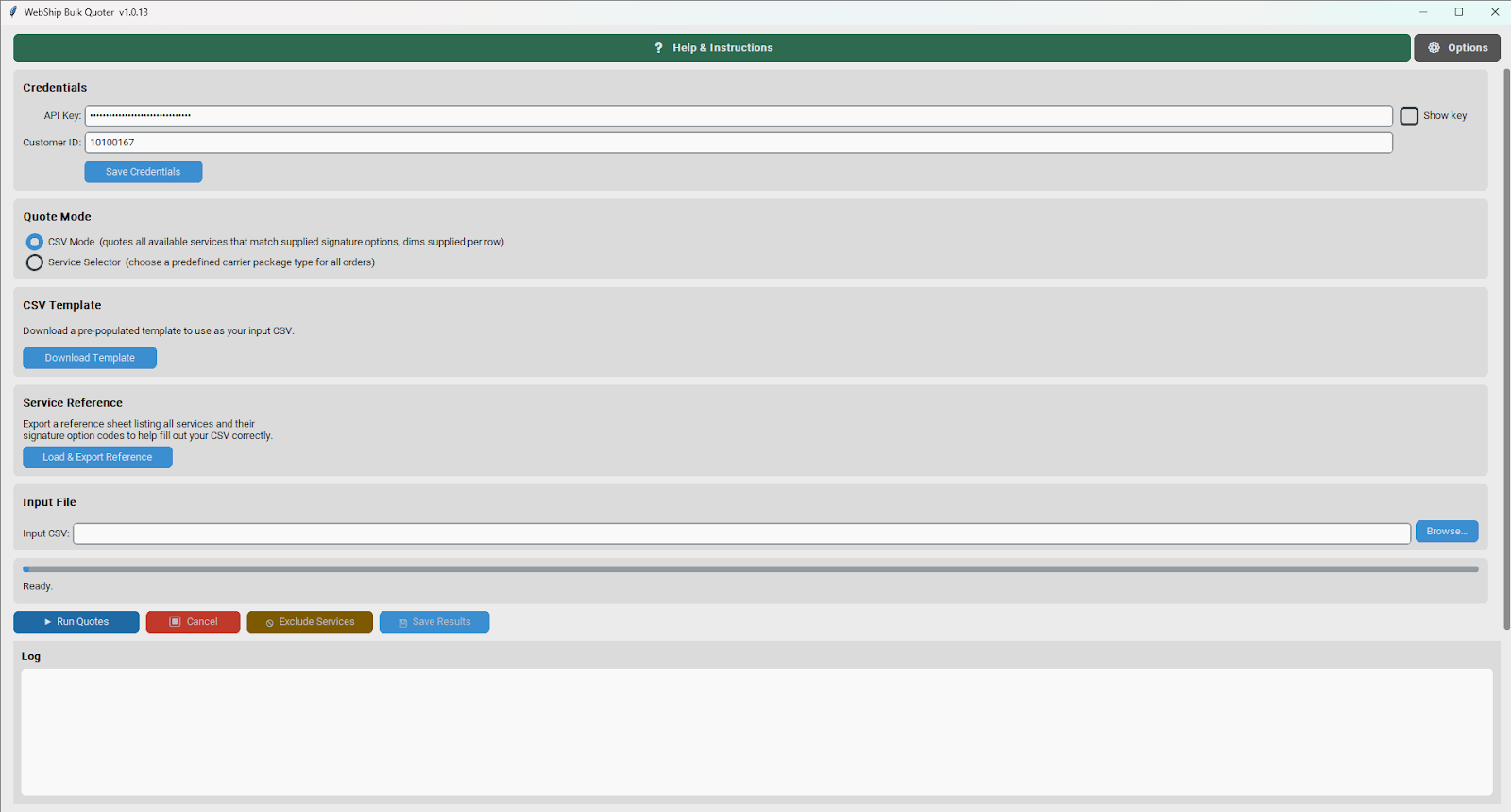
At Business Facilitating, we are constantly looking for ways to help our partners work more efficiently. We are pleased to announce the release of the WebShip Bulk Quoter — a free desktop application designed to save you significant time when retrieving shipping quotes for large volumes of orders.
The Old Way — And Why It Was Costly
Until now, partners who needed to retrieve bulk shipping rates had to work around the limitations of the WebShip batch screen. The process looked something like this:
- Upload your spreadsheet to WebShip and process it through the batch screen
- Purchase and generate labels for all shipments — for one service type at a time
- Export the results from the history page to capture the rate data you needed
- Return to WebShip and batch void all of those shipments so you would not be charged for them
For a typical batch, this process alone could consume 15 to 30 minutes per service type — and that is before any analysis even begins. More importantly, it only ever gave you data for a single carrier service at a time. If you wanted to compare rates across multiple services, you had to repeat the entire process from the beginning for each one. Upload, batch, label, export, void. Again and again.
It worked — but it was time-consuming, repetitive, and gave partners a narrow view of their shipping options.
The New Way — All Services, All at Once
The WebShip Bulk Quoter eliminates every one of those steps. There are no labels to purchase, no history pages to export, and no shipments to void. Simply prepare a CSV file with your order data, run it through the tool, and within minutes, you have a complete rate comparison across every available carrier and service on a WebShip account — simultaneously.
Where the old method required a separate run for each service and still only returned data for that one service, the Bulk Quoter's CSV Mode returns rates from all services in a single pass. That means a partner who previously spent 30 minutes retrieving data for one service can now retrieve a richer, more complete data set covering every available option — in a fraction of the time and with none of the manual overhead.
What the Tool Offers
- Batch quoting — process hundreds or thousands of orders in a single run
- CSV Mode — retrieve rates from all available carrier services simultaneously, with full rate breakdowns per service including carrier name, base charge, surcharges, zone and total
- Lowest rate summary — every order automatically shows the cheapest service across all results so you can identify the best option at a glance
- Service exclusions — after running quotes, selectively exclude carrier services from the output before saving, with a single-click Select All / Unselect All option for fast filtering
- Service Selector Mode — target a specific carrier service and package type across all orders when you already know what you need
- Multi-box shipment support — group multiple rows under the same order number to quote multi-piece shipments correctly
- Results export — output includes base charge, surcharges, zone and total for every service, ready for analysis
- Automatic updates — the app keeps itself up to date automatically
Join Us for a Live Demo — BF Labs, April 23rd
We will be hosting a dedicated BF Labs session on April 23rd, showcasing the WebShip Bulk Quoter live. The session will walk through the tool from start to finish — including setup, running your first batch, using the service exclusion features, and interpreting your results.
A Q&A session will follow the demo, giving partners the opportunity to ask questions, share feedback, and discuss how the tool fits into their specific workflows.
All partners are welcome to attend. Details on how to join will be shared separately.
How Do I Get Started?
The tool is available to download free of charge from the Business Facilitating Knowledge Center. Full installation instructions for both Windows and Mac are provided alongside the download.
You will need your WebShip API Key and Customer ID to use the tool — both can be found in WebShip accounts under Settings → API Key.
We encourage all partners to download the tool and see firsthand how much time it saves. If you have any questions or feedback, please do not hesitate to reach out to the Business Facilitating Tech Team.

